Divi SEO checklist for a new page
Every new page starts the same way: great design, thin SEO. This Divi SEO checklist walks through the ten things worth fixing before you publish, in the order they matter. None of it takes longer than fifteen minutes, and most of it happens in the builder you are already looking at, with no second screen and no waiting for a crawl.
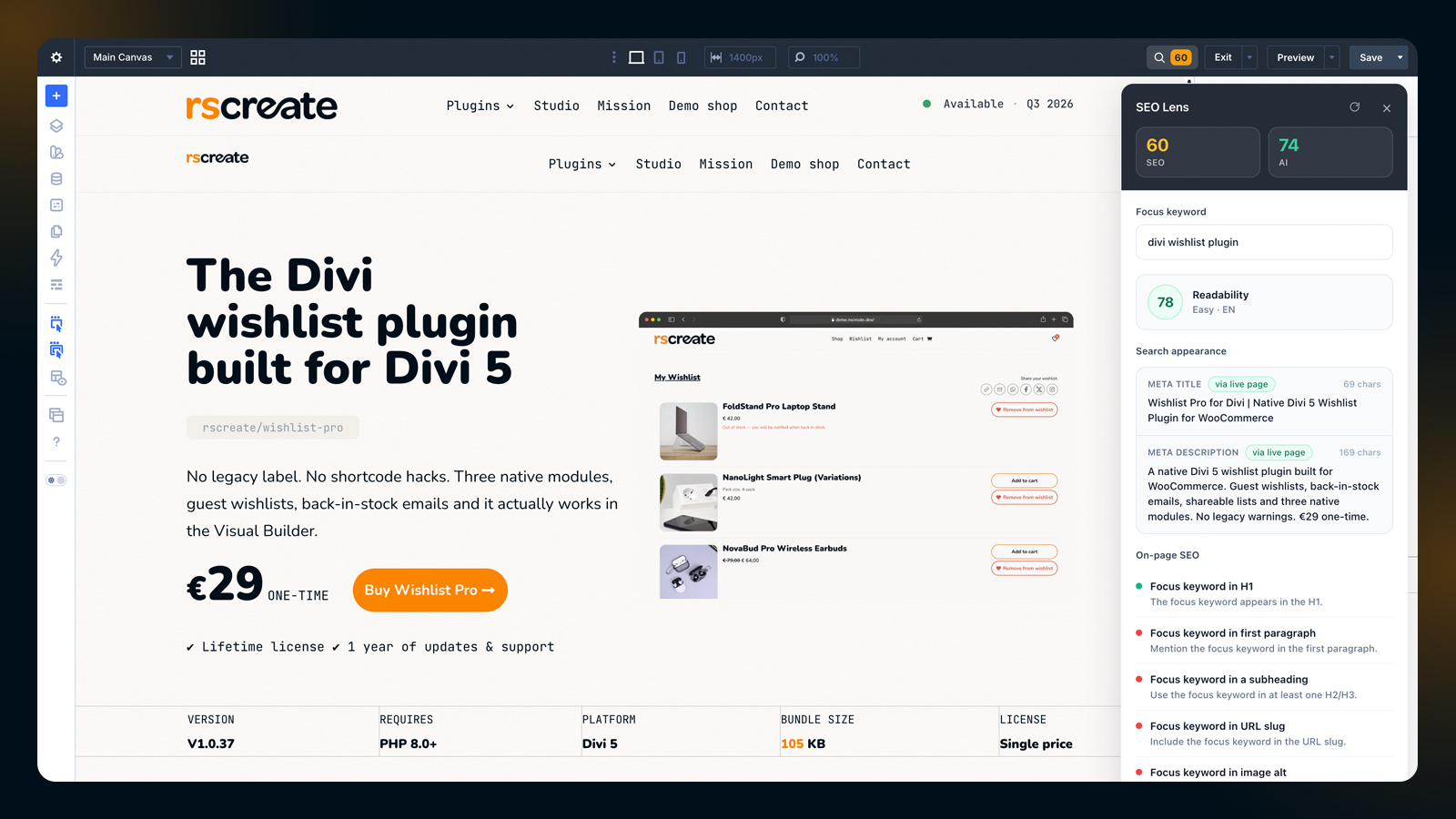
What does a search engine actually read on a Divi page?
The Divi SEO checklist, step by step
Work top to bottom. Each item takes a minute or two, and the panel tells you the moment one of them is satisfied.
- Use exactly 1 H1, and let H2 and H3 follow in order without skipping level.
- Put the focues keyword in that H1, in the first 50 words, and in at least 1 subheading.
- Keep the URL slug short, lowercase and keyword-bearing.
- Give every image alt text that describes what is in it.
- Add 1 internal link to a related page and 1 external link to a source worth citing.
- Write 300 words or more of content that answers something.
- Finish with a meta title of 30 to 60 characters and a meta description of 120 to 160.
Images and links
Alt text is not decoration. It is the only description a search engine and a screen reader ever get, so write what the image shows in 5 to 15 words rather than repeating the file name. Links work the same way: 1 internal link tells search engines which of your pages belong together, and 1 external link to a credible source is worth more than 10 to a competitor.
Does the builder preview match the published page?
Close enough to trust while you edit. The panel reads the preview inside the builder, so an edit shows up within about 2 seconds. Structured data and the resolved meta come from the saved page instead, because they are produced server-side, which means those 2 checks update after you save rather than as you type.
Meta title and description
A meta title over 60 characters gets cut off in the results, and one under 30 wastes the space. Descriptions have roughly 120 to 160 characters before the same thing happens. Neither is written on this page: both come from the Search Appearance templates in Yoast SEO, which is exactly what the Search appearance card in the panel resolves for you.
Where this page falls short
On purpose: there is no structured data on it yet, so the schema check stays amber until an FAQ or Article block is added. Compare it with the thin demo page to see what the panel says when almost nothing is in place. Google documents the rest of the rules in its own search documentation.
That is the whole Divi SEO checklist. Change any heading or paragraph on this page and the scores move while you type, which is the only honest way to see whether an edit helped.